Selecting the language of the user interface
The languages available depend on the Vissim license.
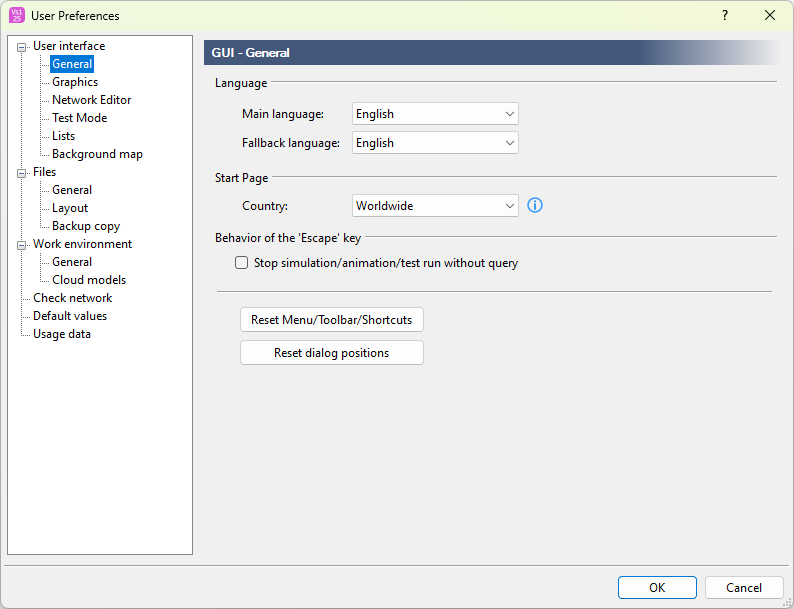
1. On the Edit menu, click > User Preferences.
2. In the left window section, select User interface > General.
3. In the Main language list, click the language of your choice.
4. In the Fallback language list, click the language of your choice.
5. Confirm with OK.
The language setting is saved and is used in program elements and output files. The Main language is used again the next time Vissim is opened.
Vissim displays text in the fallback language for the following elements if no translation is available in the main language: user interface text, tooltip with the description of an attribute, text in an output file. If there is no translation available in the fallback language, the text is displayed in English. If there is no English translation available, the text is displayed in the original language. In most cases, the original language is German.
Superordinate topic: